
Odoo now has AI inside the apps your team already uses. As Azkatech, we now set it up on your database. When the built-in tools are not enough, we connect assistants like Claude or build the AI apps you need.
Azkatech is an Official Odoo Gold Partner in Lebanon.

The basics
Odoo AI is the AI that ships inside Odoo. You open it with the AI button or Ctrl+K from any screen and ask in plain language. It answers questions about your records and opens the right view. It also helps you write or improve text.
Odoo 19 added an AI app where you build your own AI agents and connect the AI provider. Odoo 20, released in September 2026, lets those agents create and update records too. You can read the details in Odoo’s AI documentation.
Ask AI, AI agents, AI fields, AI steps in automations, and AI help in email and chatter. You get these with Odoo Enterprise. They run on an AI provider key or on Odoo AI credits, depending on your version.
Claude or another assistant connected to your Odoo through MCP, plus agents set up around your processes and our own apps on the Odoo App Store. These are services and apps from Azkatech, not standard Odoo features.
Standard Odoo
These come with Odoo itself. Some need the AI app installed, and a few are new in Odoo 20.
Ask a question from any screen. The standard assistant opens views and reports but does not change your data.
An agent gets a role, a prompt and the tools it may use. You can give it your own PDFs, web links, Documents files or Knowledge articles to answer from.
Add a field in Studio, write a prompt, and Odoo fills the value from the record. Product descriptions and short summaries are typical uses.
An automation rule can hand a step to AI, so the action depends on what the record says. In Odoo 20, agents can also run in automated and scheduled actions.
Draft a reply, improve a message or summarize a long chatter thread. Email templates can hold an AI prompt so each email is written for its record.
Put an AI agent on your website chat. It answers visitors and can create leads in your CRM.
During a meeting, Odoo can transcribe the conversation and organize it into notes.
Agents that create and update records, an AI accounting assistant that answers from your accounting data, and a built-in MCP server.
Odoo also reads vendor bills and receipts and fills them in for your team to check. That is Odoo’s document digitization, which has its own credits. See the Odoo AI app page for the full list.
Before you start
Most questions we get are about versions and cost. Here is the short version.
| Topic | What to know |
|---|---|
| Odoo version | The AI app and agents start in Odoo 19. Odoo 20 is the current version and adds agents that act on records and a built-in MCP server. On Odoo 17 or 18 an upgrade comes first. |
| Edition | The AI app is part of Odoo Enterprise. |
| AI provider | Odoo works with OpenAI (ChatGPT) and Google Gemini, and you can pick the model per agent. Claude is not a built-in provider. |
| Hosting | On Odoo 19, databases on Odoo.sh or on your own server need your own provider API key. Odoo Online works without one. |
| Cost | With your own key, the provider bills you for usage. Odoo’s Odoo 20 release notes say every AI feature now uses credits bought through In-App Purchase, and no plan includes them. We estimate usage with you before rollout. |
Check Odoo’s AI agents documentation for setup steps.
Honest limits
Summarizing a ticket, filling a field or drafting an email all work well. An agent can only do what its topics and tools allow, and the standard assistant cannot change data at all.
If the answer needs your Odoo data plus an Excel file, an inbox or another app, the built-in tools will not cover it alone. That is where an outside assistant connected through MCP, or a custom app, makes sense.
Azkatech service
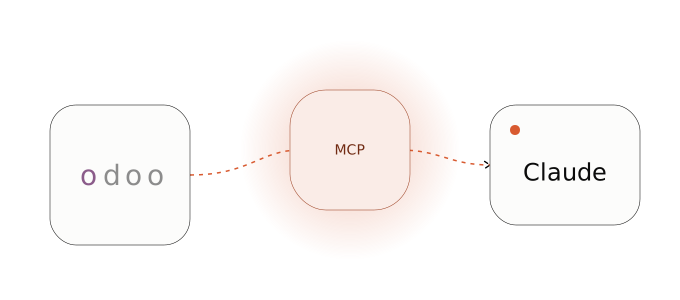
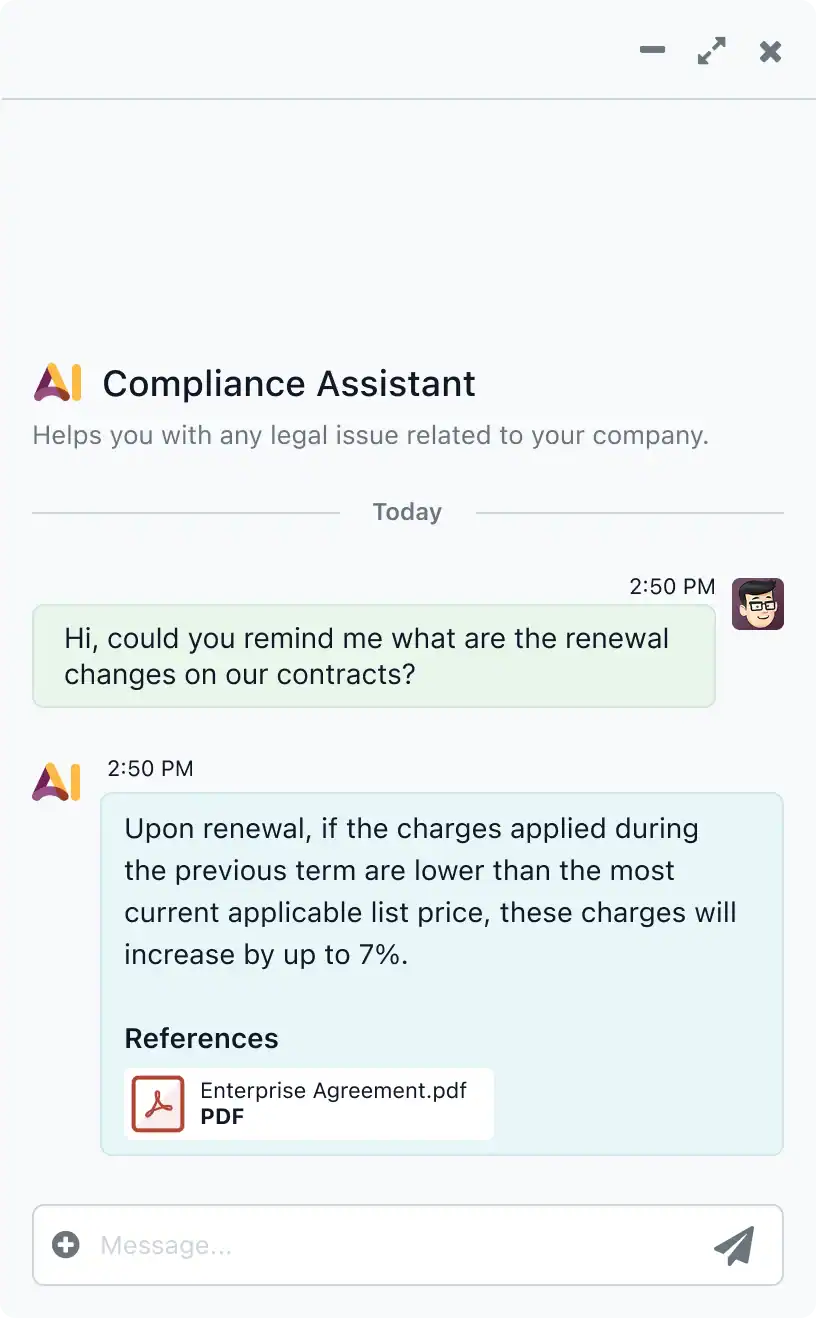
Claude can work with your Odoo data through MCP. MCP is an open standard that lets an AI assistant use another system’s tools. We connect Claude, or another assistant your team already uses, to your Odoo. Your team can then ask about sales, invoices or stock in plain language and prepare drafts like quotations.
See how this works for finance teams and sales and CRM.
Azkatech service
An Odoo agent only knows what you give it. We write the prompts, pick the topics and tools, load your documents as sources and test the agent on real cases before your team relies on it. When an agent needs a tool Odoo does not have, we develop it.
We also connect Odoo with other systems when an agent needs data from outside.
Azkatech apps
These are our own apps on the Odoo App Store. They use your own AI provider key, separate from Odoo AI credits.
 CRM
Reads chatter messages, fills the lead details and splits one message into several leads when it mentions more than one contact. Odoo 18 and 19.
CRMResearches the company behind a lead and writes a sales brief in CRM with a BANT score out of 100. Uses Gemini, with BrightData and optional Apollo for company data. Odoo 19.
 Recruitment
Reads CVs, fills the applicant form and scores the candidate. Your recruiter still makes the decision. Odoo 18 and 19.
 Helpdesk
Summarizes a ticket, finds similar solved tickets and suggests a fix. Needs Odoo Enterprise and an OpenAI key. Odoo 18 and 19.
By department
Each team has its own page with examples. Here is where each one tends to start.
Ask about overdue invoices or supplier balances and get a first draft summary for management.
Get a summary before a call, see stalled deals and start follow-up drafts from the record.
Summarize applicants and check leave and attendance records. People decisions stay with HR.
Compare suppliers and follow purchase orders that need attention.
Ask about production, materials and quality in plain language.
Permissions and review
It stays safe when the setup is right. These are the points we settle with you before anything goes live.
When an AI feature runs, the text it needs is sent to the AI provider. We agree with you which data may be used and where it gets processed.
Agents act only through the topics and tools you assign. An MCP connection works within the connecting user’s access rights, and Odoo’s own MCP server exposes read tools by default.
We test on a copy of your database with real examples and adjust prompts until the results hold up.
AI can be wrong. Anything that gets posted, sent to a customer or used in a people decision goes through a review step.
Implementation
More on our implementation and support services.
From Odoo
These are Odoo’s official resources. Odoo also has an AI Masterclass for signed-in odoo.com users.
Odoo’s own overview of the AI features.
Ask AI, settings and providers in Odoo 19.
How topics, tools and sources work.
Odoo’s short video on its AI features.
FAQ
The features are part of Odoo Enterprise, but running them costs money. On Odoo 19 you pay your AI provider through your own key, and Odoo Online can also use Odoo’s. Odoo’s release notes for Odoo 20 say every AI feature needs In-App Purchase credits that no plan includes.
Odoo 19 already has the AI app, agents, AI fields and AI steps in automations. Odoo 20 adds agents that create and update records and a built-in MCP server. If your use case only needs answers and drafts, Odoo 19 is enough. If you need agents that change records, plan for Odoo 20.
Yes. OpenAI and Google Gemini are both supported providers, and you choose the model for each agent in the AI app settings.
Claude is not a built-in provider in Odoo’s AI app. It connects through MCP instead, which is a service we set up and support.
MCP is an open standard that lets an AI assistant use another system’s tools. Odoo 20 includes an MCP server. On older versions it comes from a module or an external server. Either way the assistant works within the access rights of the Odoo user it connects with.
Ask AI cannot change records. An agent only uses the tools you give it, so leave out write tools when you want read-only answers. For MCP, connect with a user whose access rights are limited, and add a review step before anything is posted or sent.
No. The AI app is part of Odoo Enterprise. On Community, AI comes from third-party apps or an MCP connection. Our App Store apps list the editions they support on each app page.
Odoo already creates leads from emails sent to your sales alias. AI fields can then fill details from the message, and our Fill CRM Lead Info app reads chatter messages, fills the lead details and splits one message into several leads.