
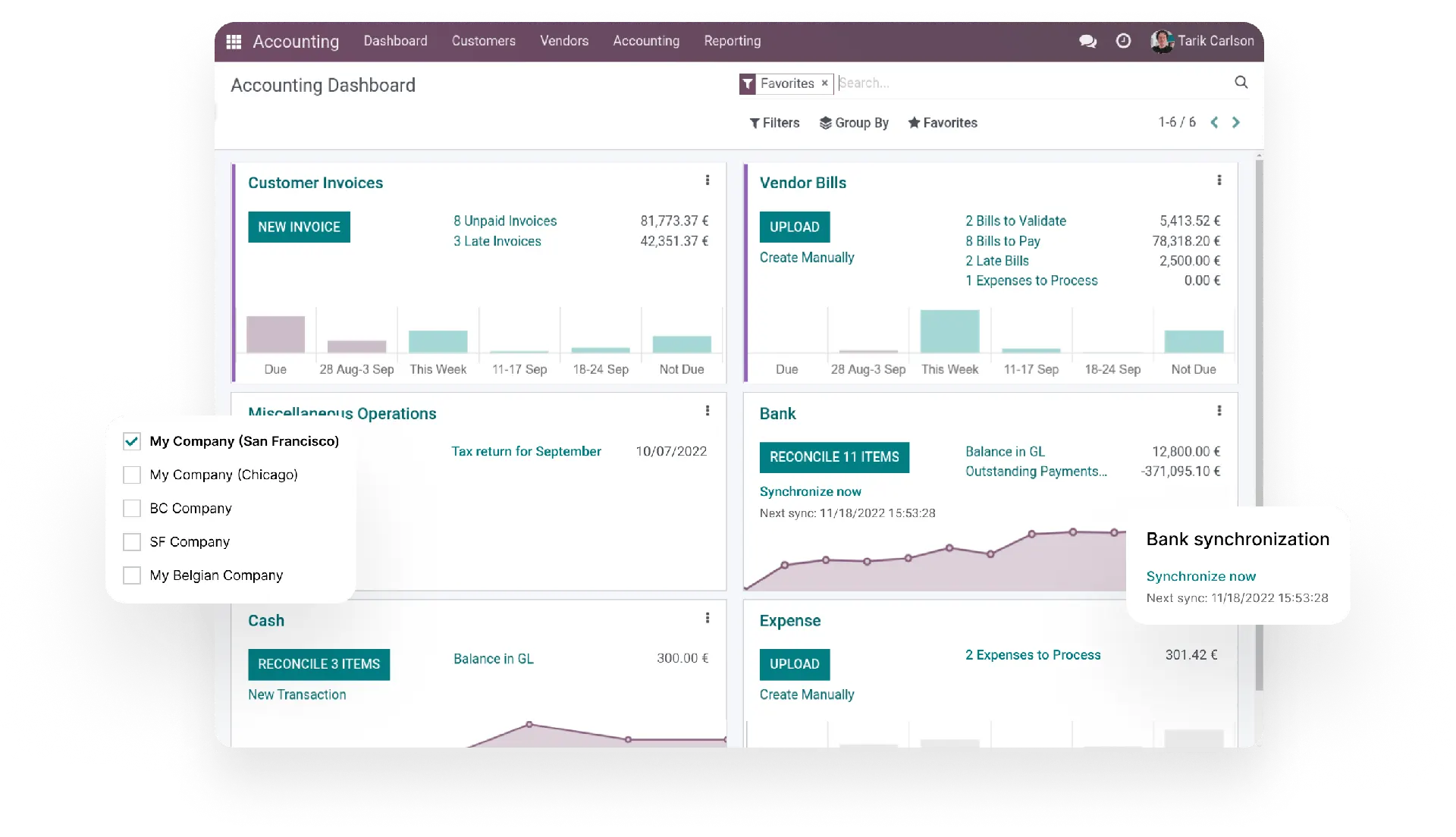
Odoo Accounting is the finance app of Odoo: every invoice, bill, payment and stock move writes its own journal entry, and your bank lines are matched against them automatically. AzkaTech sets it up for Lebanese and regional rules and stays with your team through the first close.

The short answer
Odoo Accounting is double-entry accounting software built into Odoo. Customer invoices, vendor bills, point of sale orders, expenses and inventory valuation all create their journal entries automatically, so the books stay current without anyone re-typing figures from other systems. It covers more than 100 countries through fiscal localizations and handles several companies and currencies in one database.
In the software
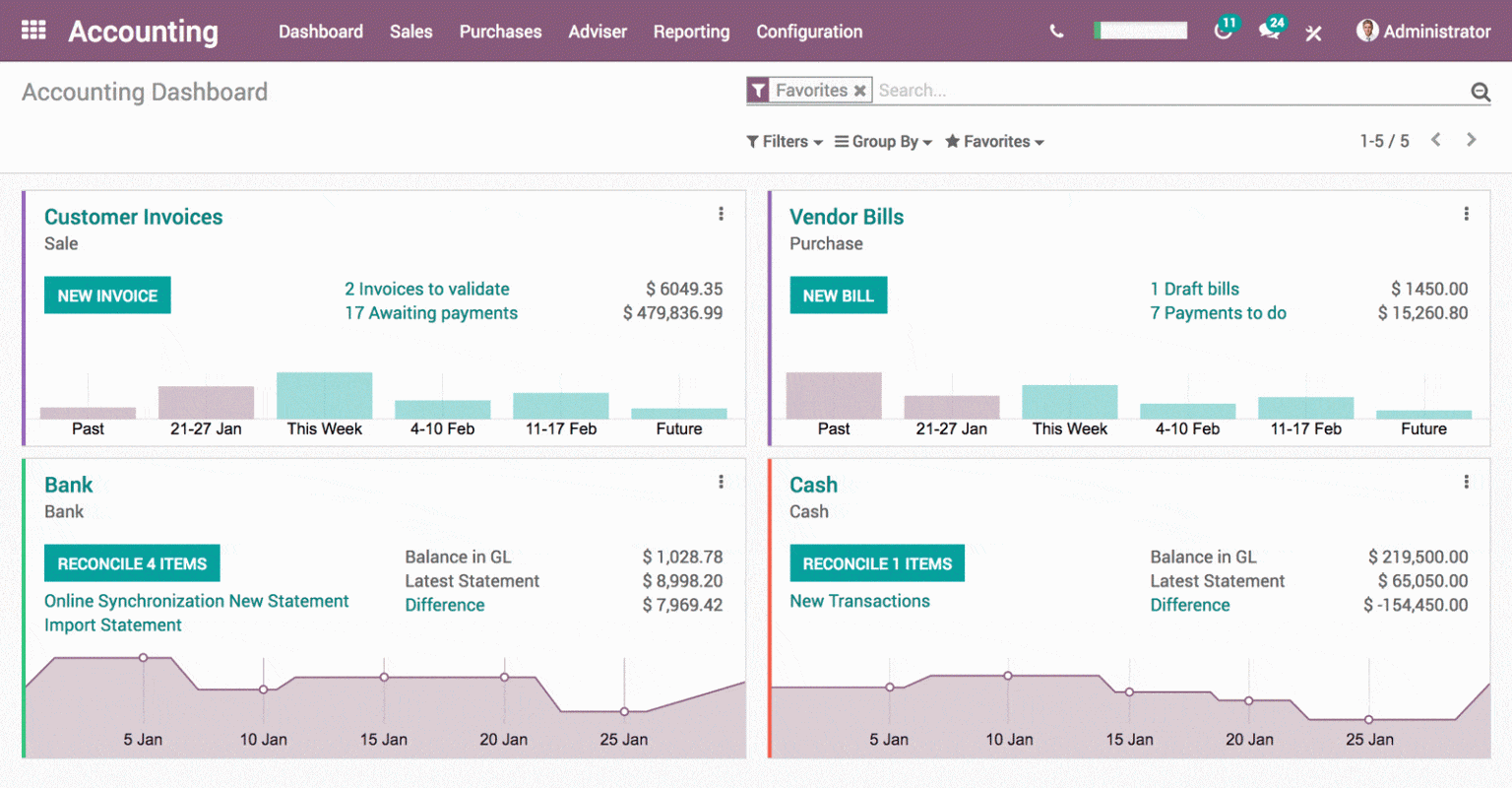
These are the screens your finance team will work in every week. All screenshots come from Odoo itself.
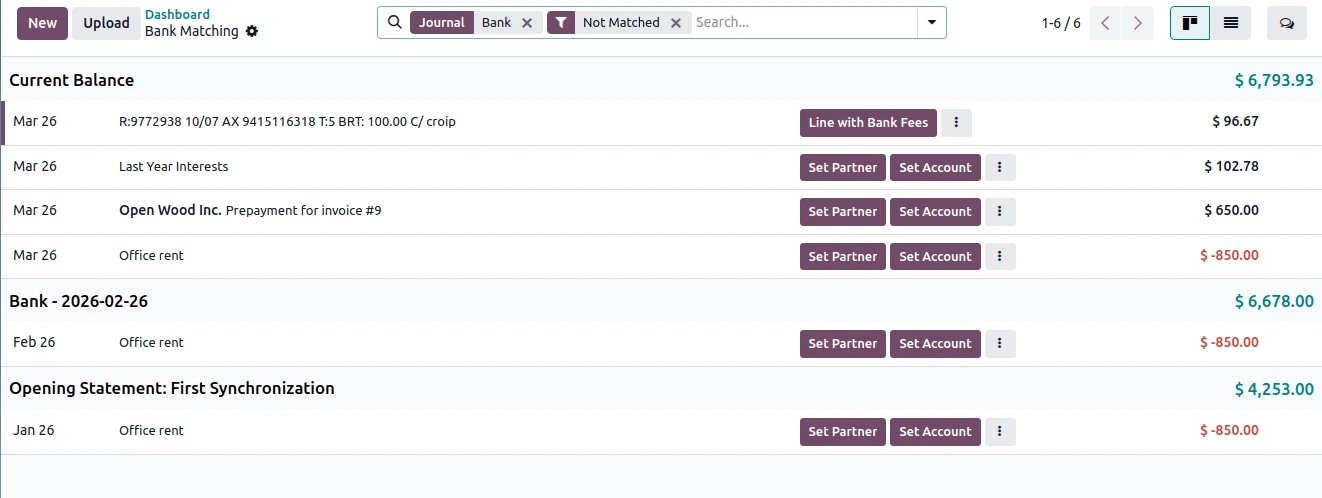
Odoo connects to more than 26,000 banks through third-party providers and imports transactions on its own. Where a bank is not covered, statements import from CSV, OFX, QIF or CAMT.053 files.
Default matching rules and your own reconciliation models then propose the invoice, bill or payment behind each line, so the team confirms instead of searching.
Analytic accounts track revenue and costs by project, department or branch without adding a single account to your chart. One invoice line can be split across several analytic accounts by percentage.
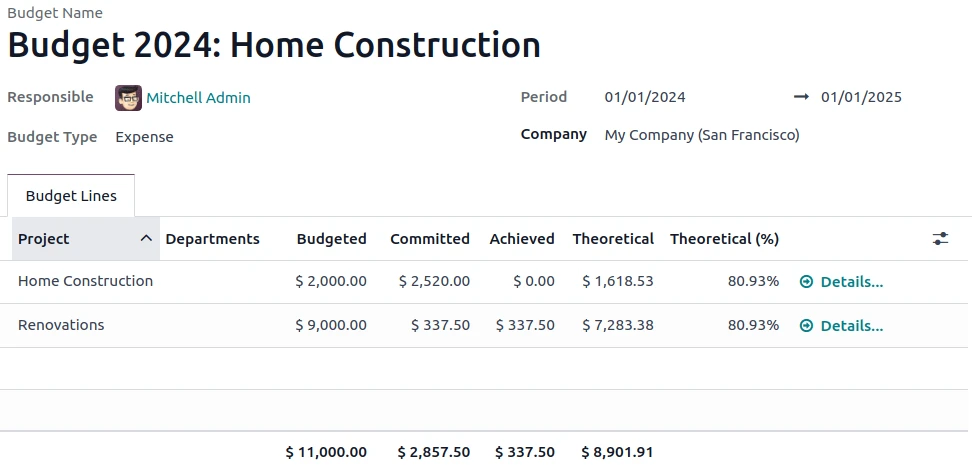
Budgets then compare what you planned with what has been committed on purchase orders and what has actually been booked, line by line.
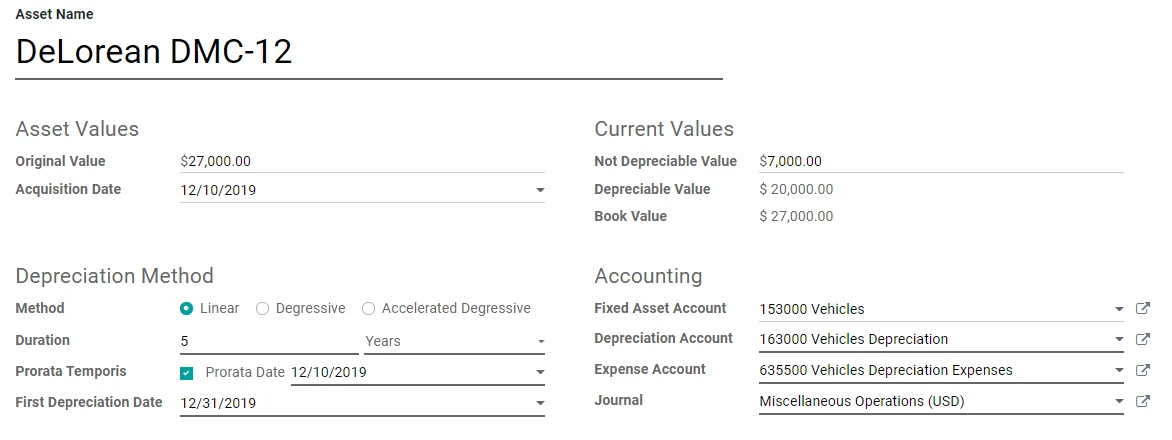
Create an asset straight from its vendor bill, choose linear, degressive or accelerated degressive depreciation, and Odoo posts every depreciation entry on schedule.
Yearly licences, rent paid in advance and multi-month contracts are spread across the right periods with deferred revenue and deferred expense entries, so monthly results are not distorted.
Daily work
Quotations become invoices in one click. Payment terms set due dates and early-payment discounts, and credit notes reverse an invoice without editing the original.
Reminders go out by email, WhatsApp, SMS or letter according to how many days an invoice is overdue, with a history of every reminder sent.
Upload a vendor bill or forward it to an email alias. Odoo reads it with OCR and AI and fills in the vendor, dates, lines and taxes for you to check.
Odoo stores each foreign-currency transaction in both currencies, updates rates automatically and posts exchange gains or losses when items are reconciled.
Run several companies in one database, or branches that share the parent's chart of accounts and taxes while keeping their own journals.
Taxes are computed on every line, and fiscal positions swap them automatically for exempt customers, exports or other special cases.
Reporting
Every report reads the same posted entries, so the figures update the moment an invoice, bill or bank line is validated.
Filters, comparisons, exports and custom reports are covered on our Odoo Reporting page.
Controls
Fast entry is only useful if nobody can quietly change last quarter. Odoo gives finance managers several locks.
Local setup
Lebanese companies deal with two currencies, a specific chart of accounts and Ministry of Finance reporting. This is how we set Odoo up for them.
More on this: accounting software in Lebanon · Lebanese payroll in Odoo
Comparison
This is the comparison we are asked about most. Both are solid accounting products; they differ in what surrounds the books.
| Area | Odoo Accounting | QuickBooks Online |
|---|---|---|
| Scope | Accounting inside a full ERP: sales, purchasing, inventory, manufacturing, point of sale and HR share one database. | Accounting first. Other business tools connect through apps and integrations. |
| Inventory | Full warehouse management with lots, serial numbers and FIFO, average or standard costing. | Basic inventory tracking on higher plans. |
| Pricing model | Per user per month, with all apps on the Standard plan. | Per company, in tiers with a user limit on each plan. |
| Hosting | Odoo Online, Odoo.sh or your own server. | Intuit’s cloud only. |
| Customization | Odoo Studio and custom modules adapt screens, fields and workflows. | Settings and third-party apps; the core cannot be changed. |
| Setup | Usually set up with a partner, because it touches the whole company. | Quick to start on your own. |
| Best fit | Growing companies with stock, branches or processes that outgrow a standalone tool. | Small companies that need bookkeeping and little else. |
Learning
If you want to see the software before talking to anyone, start here.
Odoo's own course walks through the Accounting and Invoicing apps in short lessons, from the first configuration to daily invoicing, bills, bank and reports.
Built by AzkaTech
When a client needs something standard Odoo does not do, we build it and publish it on the Odoo App Store.
Fiscal StampingPrints fiscal stamp sequences on your financial documents, built for companies in Lebanon.View on the Odoo App Store ↗
Accounting Advance PaymentsRecords advance payments before invoicing or delivery, on their own accounts for cleaner reconciliation.View on the Odoo App Store ↗
Financial Reports PercentageAdds a column showing each line’s share of its section total in your financial reports.View on the Odoo App Store ↗See all of them on our Odoo apps page.
Why AzkaTech
AzkaTech is the first and biggest Odoo Gold Partner in Lebanon. An accounting go-live succeeds when the opening numbers tie out on day one, so this is how we work.
Related: Odoo implementation · Odoo reporting · Odoo inventory · Odoo POS · Odoo integration · Odoo AI
FAQ
It depends on what you need around your books. QuickBooks is a focused accounting product that suits small companies whose other tools live elsewhere. Odoo Accounting shares one database with sales, purchasing, inventory, manufacturing and point of sale, so entries come from the operations themselves instead of imports or connectors. Companies that hold stock, run several branches or need workflows that fit their own process usually find Odoo the better long-term fit; very small service businesses may find QuickBooks simpler.
Odoo Community, the free open-source edition, includes Invoicing: customer invoices, vendor bills and payments. The full Accounting app, with bank synchronization, reconciliation tools and the complete set of financial reports, is part of Odoo Enterprise, which is licensed per user.
Odoo Enterprise is priced per user per month, and the Standard plan includes every app, Accounting among them. The figure depends on your country, the plan and the billing period, so check odoo.com/pricing for the current price. Implementation is a separate, one-time cost that depends on your number of companies, currencies, banks and integrations. AzkaTech can estimate both after a short call.
Invoicing creates and sends invoices, records vendor bills and tracks payments. Accounting includes all of that and adds financial reports, bank reconciliation, budgets, asset management, analytic accounting and the controls needed to close a fiscal year.
Yes. Odoo records every transaction in the company currency and keeps the original currency amount alongside it. Exchange rates can update automatically, and Odoo posts currency gains and losses when invoices and payments are reconciled. AzkaTech sets up the rates and reports Lebanese companies need for both currencies.
Yes. AzkaTech configures Odoo with a Lebanese chart of accounts, the 11% VAT and VAT reports prepared for the Ministry of Finance, and adds fiscal stamps on documents with our Fiscal Stamping app.
Odoo synchronizes with more than 26,000 financial institutions through third-party providers, which requires Odoo Enterprise. If your bank is not on the list, you import statements from CSV, OFX, QIF or CAMT.053 files, and reconciliation works exactly the same way.
Yes. We move your chart of accounts, customers, vendors, open invoices and bills, and opening balances, then reconcile them against your last QuickBooks trial balance. Full transaction history can be imported too, although many companies keep it in QuickBooks for reference and start fresh from an opening date.
Yes. Odoo reports income and expenses when transactions happen (accrual basis) or when they are paid (cash basis), and cash basis taxes can be set up where your tax rules require them.